How to establish a SMB CIFS connection from your iOS device (iPhone or iPad), for example to your NAS storage system or some other network share:
- Open the "files-app"

- Select the three dots in the upper right corner
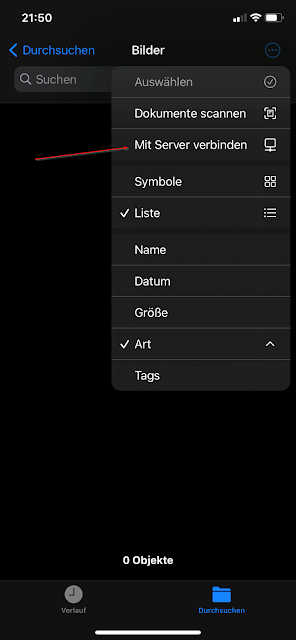
- Select "connect to server" (in german "Mit Server verbinden"):
- Enter your SMB CIFS destination as IPv4 address or FQDN:


No comments:
Post a Comment